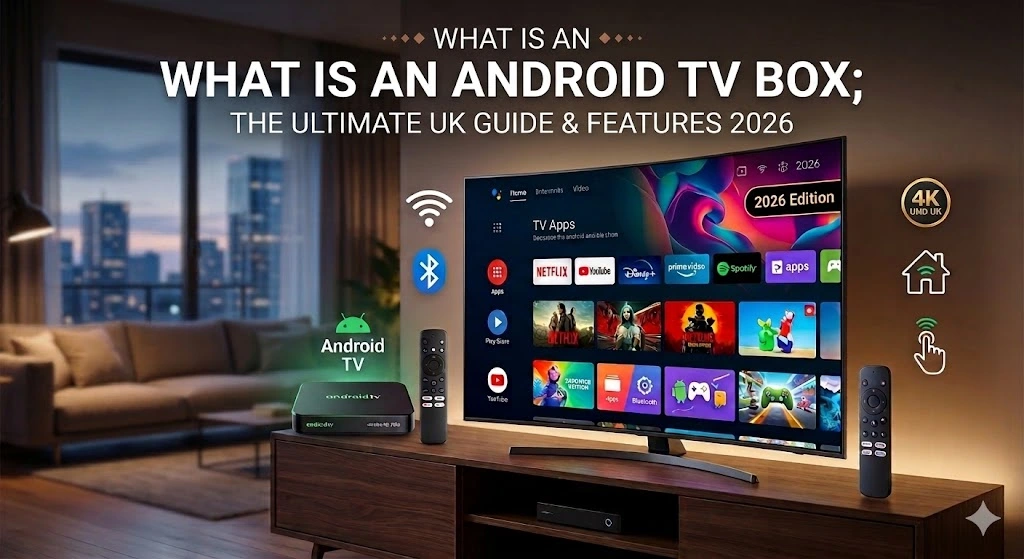
Introduction: What is an Android TV Box and How Will It Revolutionise Your Home Viewing?
Digital change has completely reshaped how British homes watch TV and films. Old-style linear broadcasting through an aerial or satellite dish is quickly giving way to adaptable streaming apps and internet-based services. Consequently, a growing number of people are wondering exactly the same thing: what is an Android TV Box? This small gadget now sits at the heart of the modern living room, unlocking features that older TV sets could never offer. Below, we explain what it does and the huge benefits this technology brings, with particular attention to safe, family-friendly use.
Definition and Basic Principles of the Smart TV Device
Firstly, let’s break the idea down into plain English. An Android TV Box is a separate media player that plugs into your TV using an HDMI cable. In this way, the box effectively “gives” your television the Android operating system, turning it into a powerful Smart TV with complete access to the Google Play Store.
Furthermore, these boxes are incredibly adaptable. Although streaming video is their main job, you can also use them to play games, scroll through social media and even read your emails. Therefore, for a small slice of what a new TV would cost, you get a capable multimedia centre that can be updated, right there on your sofa.
Why is the Android TV Box Ideal for IPTV and VOD?
Many people buy this gadget mainly so they can use modern internet TV services. At this point, the Android TV Box clearly outperforms the built-in software on lots of smart TVs.
Additionally, Android lets you install dedicated IPTV apps such as TiviMate or IPTV Smarters Pro. Due to this fact, you enjoy the following benefits:
-
Fluid Navigation: The processors inside these boxes are usually quicker and sturdier than the chips built into ordinary Smart TVs.
-
Total Customisation: You can arrange your channel lists exactly how you like and build your own custom favourites groups.
-
Rapid Access to VOD: Film and box-set libraries open instantly, all in stunning ultra-high resolution.
As a result, an Android TV Box is the ideal technical fix for anyone in the UK who wants reliable, uninterrupted digital TV reception.
Family Safety: Entertainment Without Adult Content
Keeping children safe online is always a top concern when buying gadgets for the family home. For this reason, we make sure our approach to entertainment is fully centred on families. Our IPTV service and the Android TV Box settings we recommend do not include any adult content.
On the contrary, our focus is on quality educational channels, cartoons, sport and films from around the world. In this manner, parents can relax while the kids are using the box. Moreover, Android includes built-in parental controls that let you restrict the apps on offer even more. In short, your living room ought to be a calm and secure space, with no unsuitable material in sight.
Technical Features – What to Check in 2026?
There are countless models to pick from; however, they are not all built to the same standard. To save yourself headaches, keep an eye on a few key technical points:
1. Processor and RAM
Unquestionably, the processor is the core of every box. In 2026, the minimum expectation is AV1 codec support and 4K playback at 60 frames per second. Simultaneously, you should look for no less than 4GB of RAM. This ensures that jumping between apps happens instantly with no lag.
2. Storage and Connectivity
Even though the majority of content is streamed, you should still aim for 32GB or more of internal storage for apps. Equally vital is having a USB 3.0 port and an Ethernet socket. Indeed, a wired connection is essential for keeping the signal steady during big live sporting events.
How to Set Up Your Android TV Box?
Plenty of people worry that setting it up will be complicated; nevertheless, the process is actually very easy to follow. Follow the quick steps below:
Step 1: Physical Connection
Plug the box into an HDMI port on your TV. Then, connect the power adapter to a wall socket. Whenever possible, use a LAN cable for your internet connection, since it is far steadier than Wi-Fi.
Step 2: Initial Configuration
Switch on your TV and choose the correct HDMI input. At that moment, the setup wizard will pop up on screen. Generally, all you have to do is follow the prompts to pick English and log in to your Google account.
Step 3: Installing Media Apps
Launch the Google Play Store and install the apps you want. In the case of our safe channel list, type your details (URL, username, password) into the IPTV app you have chosen. As a result, in just a few minutes you will be able to watch thousands of channels with no adult content.
Comparison: Android TV Box vs. Built-in Smart TV
While today’s TVs already ship with smart software, a separate Android TV Box is often the better option for tech-minded UK buyers.
| Feature | Android TV Box (External) | Built-in Smart TV |
| Updates | Frequent and long-lasting | Dependent on the manufacturer |
| Performance | High and updatable | Tends to slow down over years |
| Apps | Total access to Play Store | Stores are often limited |
| Portability | Can be taken on holidays | Fixed to a single screen |
Conclusion: Is an Android TV Box Worth It?
In summary, the Android TV Box is a gadget that changes what television can be. It brings together power, unrestricted internet access and ease of use. Thanks to its emphasis on safe content and zero adult material, it is the perfect pick for any British family wanting quality entertainment.
Finally, buying a box means investing in freedom of choice and modern convenience. If you want to enjoy reliable IPTV, games and films on the big screen, the Android TV Box is without doubt the way to go.
Frequently Asked Questions (FAQ)
1. Does an Android TV Box work on any television?
Yes, as long as your TV has an HDMI port. Even older non-smart TVs can be brought fully up to date with this device.
2. Is a Google account necessary?
Although you do not absolutely need one for the basics, a Google account lets you install apps from the Play Store and keep your settings in sync.
3. Why do you not provide adult channels?
Because we put the safety and quality of family viewing first. Our aim is for the service to offer wholesome entertainment for every age group.
4. Do I need very fast internet?
Certainly. For smooth 4K viewing, we suggest a broadband connection of 50 Mbps or faster.